

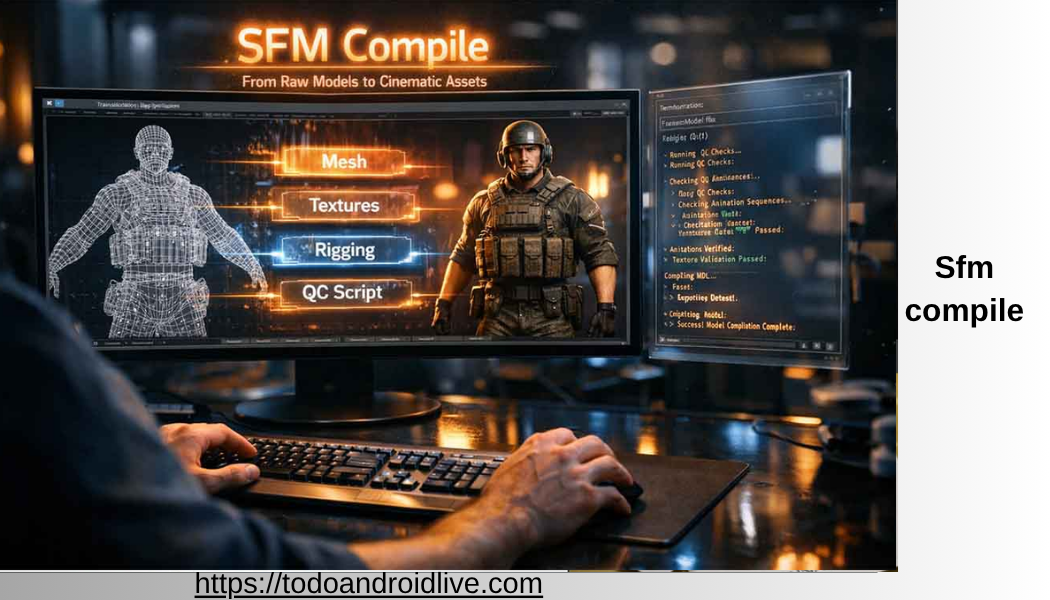
If you have ever created a custom character, weapon, prop, or animation for Source Filmmaker, you have probably heard the term “sfm compile.” While it may sound technical at first, understanding the SFM compile process is one of the most valuable skills for anyone working with Source Filmmaker (SFM).
Simply put, sfm compile is the process of converting your finished 3D assets into files that Source Filmmaker can read and use. Without compiling, even the most detailed model created in Blender, Maya, or another 3D software cannot appear inside SFM.
Many beginners believe compiling is simply pressing one button. In reality, the process includes preparing models, creating materials, setting up textures, writing configuration files, generating animations, and checking for errors before exporting everything into the correct Source Engine format.
This guide explains every important part of sfm compile using clear and easy English. Whether you are completely new or already creating custom content, you will learn how the compilation process works, why each step matters, and how to avoid common mistakes.
By the end of this guide, you will understand not only how to compile models but also how professional creators build reliable assets that perform well inside Source Filmmaker.
What Is SFM Compile?
SFM compile is the process of converting 3D content into formats supported by the Source Engine.
A model created in Blender, Maya, or another modeling application cannot be loaded directly into Source Filmmaker. Instead, the files must be transformed into engine-compatible formats.
During compilation, several important things happen:
- The model geometry is processed.
- Materials are assigned.
- Textures are connected.
- Bones and skeletons are verified.
- Animations are converted.
- Collision data is generated if needed.
- Engine-readable files are created.
After successful compilation, Source Filmmaker recognizes the model just like any official Valve asset.
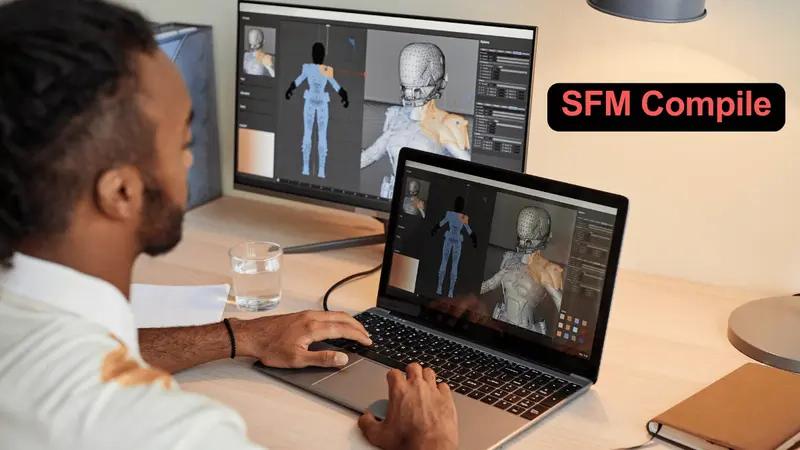
Without compiling, custom content simply will not work inside SFM.
Why SFM Compile Is Necessary
Many beginners wonder why SFM cannot open common file formats like FBX or OBJ directly.
The answer is simple.
Source Filmmaker was built on Valve’s Source Engine, which uses its own optimized file formats. These formats are designed for fast loading, efficient rendering, animation support, and game performance.
Compilation converts general-purpose 3D files into specialized engine files that include:
- Optimized geometry
- Bone hierarchy
- Material references
- Animation data
- Surface information
- Rendering settings
This optimization helps projects load faster while keeping animation smooth.
How the SFM Compile Process Works
The entire workflow follows a logical sequence.
Step 1: Create the Model
Artists begin by designing their model using software such as:
- Blender
- Maya
- 3ds Max
The model is cleaned, optimized, and prepared.
Step 2: UV Mapping
Every model needs UV coordinates.
UV maps tell the engine exactly where textures belong on the surface.
Poor UV mapping usually leads to stretched or blurry textures.
Step 3: Texture Creation
Artists create texture maps such as:
- Diffuse maps
- Normal maps
- Specular maps
- Roughness maps
These textures give the model color and detail.
Step 4: Rigging
Characters receive bones so they can move naturally.
Each vertex is assigned proper weight values.
Incorrect rigging often causes distorted animations.
Step 5: Exporting
The finished project is exported into an intermediate format.
Common export formats include:
- SMD
- DMX
- FBX (converted later)
Step 6: QC File Creation
The QC file acts like an instruction manual.
It tells the compiler:
- Model name
- Texture location
- Animation files
- Collision settings
- Physics data
- Surface properties
Without a QC file, the compiler has no idea how to build the final model.
Step 7: Running the Compiler
Valve’s compiler tools read every required file.
If everything is correct, the compiler creates the final engine files.
Step 8: Testing Inside Source Filmmaker
The compiled model is imported into SFM.
Artists verify:
- Materials
- Bones
- Animations
- Lighting
- Shadows
- Performance
Any issues are corrected before the final release.
Main File Types Used During SFM Compile
Understanding file types makes learning much easier.
DMX
DMX files store advanced animation and model information.
They are commonly used in modern Source workflows.
SMD
SMD files are one of the oldest Source formats.
Many community tools still support them because they are simple and reliable.
QC
QC stands for “QuakeC Script.”
Although the name comes from older engines, today’s QC files control the entire compilation process.
VTF
Valve Texture Format stores textures.
These files are optimized specifically for the Source Engine.
VMT
Valve Material Type files describe how textures behave.
They control:
- Lighting
- Transparency
- Reflection
- Normal mapping
- Surface appearance
MDL
MDL is the final compiled model.
This is the file Source Filmmaker actually loads.
Software Commonly Used for SFM Compile
Different creators prefer different software.
Blender
Blender has become one of the most popular tools because it is free, powerful, and supported by many Source Engine plugins.
Advantages include:
- Free forever
- Large community
- Frequent updates
- Excellent modeling tools
- Strong animation system
Maya
Many professional artists prefer Maya.
It offers advanced rigging tools and high-end animation features.
3ds Max
Older Source Engine creators often use 3ds Max because many legacy tools were originally designed for it.
Crowbar
Crowbar is one of the most widely used Source Engine utilities.
It helps users:
- Compile models
- Decompile models
- Edit QC files
- Organize projects
VTFEdit
This utility converts standard image formats into Valve Texture Format.
Without texture conversion, Source Filmmaker cannot display materials correctly.
Understanding the QC File
The QC file is one of the most important parts of sfm compile.
Think of it as a recipe.
The compiler follows every instruction written inside it.
A typical QC file may include:
- Model name
- Author
- Body groups
- Texture paths
- Surface properties
- Physics model
- Idle animations
- Sequence information
- Attachment points
- Collision models
Small mistakes inside the QC file often cause compilation to fail.
Learning QC syntax takes practice but greatly improves your workflow.
Common SFM Compile Errors
Even experienced creators encounter errors.
Missing Texture Files
If textures cannot be found, the model appears purple and black.
Broken Material Paths
Incorrect folder locations prevent materials from loading.
Bone Weight Problems
Vertices assigned to incorrect bones produce strange deformations.
Incorrect File Locations
If exported files are placed in the wrong folders, compilation fails.
Missing QC Commands
Incomplete QC files often generate compiler errors.
Animation Errors
Improper animation exports may result in frozen characters or broken poses.
Most compilation errors are simple to fix once you understand where to look.
Best Practices Before Starting an SFM Compile
Professional artists spend more time preparing assets than compiling them.
Before compiling, always check the following:
- Remove unused vertices.
- Delete duplicate faces.
- Apply object transforms.
- Verify UV maps.
- Confirm texture paths.
- Check bone weights.
- Name bones consistently.
- Test animations.
- Organize folders.
- Back up project files.
These small habits save hours of troubleshooting later.
Tips for Faster Compilation
Large projects can take time.
Fortunately, several habits make compiling much faster.
Keep polygon counts reasonable.
Optimize texture sizes.
Reuse materials whenever possible.
Organize folders clearly.
Use consistent naming conventions.
Remove unused objects before exporting.
Compile only the assets that changed.
These practices improve both workflow speed and overall project quality.
Why Beginners Often Struggle with SFM Compile
Many new creators expect everything to work immediately.
In reality, SFM compile involves several connected systems.
A small mistake made during modeling may not appear until the final compilation.
For example:
- A missing texture may actually be caused by an incorrect material path.
- A broken animation may come from improper rigging.
- A compiler error may simply be a missing quotation mark inside the QC file.
Instead of guessing, experienced creators solve problems step by step.
This organized troubleshooting process makes debugging much easier.
The Importance of Folder Organization
Professional creators rarely place files randomly.
Instead, they maintain organized project folders.
A common structure includes folders for:
- Models
- Materials
- Textures
- Animations
- QC files
- Source files
- Compiled output
Good organization makes updates easier and reduces missing-file errors.
It also simplifies teamwork when multiple artists collaborate on the same project.
Part 2 will cover advanced SFM compile techniques, optimization methods, troubleshooting workflows, performance improvements, future trends, expert tips, and an expanded FAQ section.
Advanced SFM Compile Techniques
Once you understand the basics of sfm compile, you can begin improving your workflow. Advanced techniques help create models that load faster, animate better, and produce fewer errors.
Professional creators do not simply compile a model once. Instead, they test, adjust, and recompile until every part works correctly.
Some advanced improvements include:
- Optimizing mesh topology
- Reducing unnecessary polygons
- Using Level of Detail (LOD) models
- Compressing textures
- Organizing animation sequences
- Cleaning unused bones
- Reducing material count
These practices improve both visual quality and performance.
Optimizing Models Before SFM Compile
A successful sfm compile starts with a clean model. Models with unnecessary complexity take longer to compile and may reduce performance inside Source Filmmaker.
Here are several optimization tips.
Remove Hidden Geometry
Faces that players or viewers will never see should be deleted.
Merge Duplicate Vertices
Duplicate vertices increase file size and may create shading problems.
Reduce Polygon Count
High-detail models look impressive, but extremely dense meshes can slow down rendering.
Use Smooth Topology
Good edge flow improves animation quality and reduces lighting issues.
Keep UV Maps Organized
Neatly arranged UV islands make textures easier to create and update.
Texture Optimization for Better Results
Textures often use more memory than the model itself.
Optimized textures improve loading speed without reducing visual quality.
Best practices include:
- Use the correct image resolution.
- Compress textures when possible.
- Remove unused texture files.
- Keep consistent file names.
- Avoid duplicate materials.
A well-organized texture library also makes future updates much easier.
Animation and SFM Compile
Animations require special attention during compilation.
Every animation must match the skeleton used by the model.
If bone names change between the model and animation files, the compile process may fail or produce incorrect movement.
Before exporting animations, check:
- Bone hierarchy
- Frame rate
- Animation length
- Root bone movement
- Rotation values
Testing animations before compiling saves a great deal of time.
Understanding Materials in Source Filmmaker
Materials define how a model appears under lighting.
A material is much more than a texture.
It controls:
- Color
- Reflections
- Transparency
- Self-illumination
- Normal mapping
- Surface appearance
Incorrect material settings can make an otherwise excellent model look unrealistic.
Always verify that every VMT file points to the correct VTF texture.
Troubleshooting SFM Compile Problems
Every creator encounters problems. The key is learning how to solve them efficiently.
Purple and Black Textures
Cause:
Missing textures or incorrect material paths.
Solution:
Verify folder locations and material references.
Invisible Model
Cause:
Incorrect QC settings or missing model files.
Solution:
Check export paths and confirm that the compiler generated all required files.
Broken Skeleton
Cause:
Incorrect bone names or damaged rigging.
Solution:
Compare the exported skeleton with the original rig.
Compiler Stops Unexpectedly
Cause:
Syntax errors inside the QC file.
Solution:
Review every command carefully, paying close attention to quotation marks and file paths.
Animation Does Not Play
Cause:
Incorrect animation sequence or export settings.
Solution:
Re-export the animation using the correct skeleton.
Performance Tips for Large Projects
As projects become larger, optimization becomes even more important.
Professional creators often:
- Reuse textures across multiple models.
- Share materials whenever possible.
- Minimize unnecessary bones.
- Use efficient UV layouts.
- Create lower-detail versions for distant objects.
- Remove unused animations.
These practices help projects run smoothly even when many custom assets are loaded.
Security Tips When Downloading SFM Assets
Many creators download models from community websites.
Before compiling downloaded assets:
- Scan files for malware.
- Download only from trusted communities.
- Read creator documentation.
- Verify licenses before redistribution.
- Keep backup copies of original files.
Avoid downloading unknown compiler tools from unofficial websites.
Common Myths About SFM Compile
Many misconceptions confuse beginners.
Myth 1: Compiling Improves Model Quality
Compilation does not improve a model. It simply converts it into a Source Engine format.
Myth 2: Bigger Files Mean Better Quality
File size alone does not determine quality. Efficient optimization is more important.
Myth 3: Every Error Comes From the Compiler
Many issues begin during modeling, rigging, or texture creation—not during compilation.
Myth 4: Only Professionals Can Learn SFM Compile
Anyone can learn the process by practicing step by step.
SFM Compile Workflow Used by Experienced Creators
Most experienced artists follow a structured workflow.
- Plan the project.
- Build the model.
- Create UV maps.
- Paint textures.
- Rig the skeleton.
- Test animations.
- Export source files.
- Write the QC file.
- Compile the model.
- Test inside Source Filmmaker.
- Fix any issues.
- Repeat until satisfied.
This organized process reduces errors and produces more reliable results.
Future of SFM Compile
Although Source Filmmaker is an older tool, many creators continue to use it because of its flexibility and large community.
Modern improvements include:
- Better Blender export tools
- Improved automation scripts
- Faster community-developed utilities
- More reliable DMX support
- Easier texture conversion tools
As long as creators continue producing Source Engine content, sfm compile will remain an important skill.
Expert Tips for Better SFM Compile Results
Small habits often make a big difference.
- Save multiple project versions.
- Keep backups before every major change.
- Test one feature at a time.
- Use meaningful file names.
- Keep project folders organized.
- Read compiler logs carefully.
- Learn basic QC commands.
- Avoid rushing the export process.
- Verify textures before compiling.
- Practice with small projects before attempting large character models.
Final Thoughts
SFM compile is the bridge between creating a 3D model and bringing it to life inside Source Filmmaker. While the process includes several steps—such as modeling, texturing, rigging, exporting, writing QC files, and compiling—it becomes much easier with practice and a well-organized workflow.
The most successful creators focus on preparation before compiling. Clean models, organized folders, correct textures, and carefully tested animations reduce errors and produce better results. Instead of treating compilation as the final step, think of it as part of an ongoing creative process where testing and refinement lead to higher-quality assets.
Whether you are creating custom characters, detailed environments, cinematic props, or animation projects, mastering sfm compile will help you build reliable, professional-quality content for Source Filmmaker. With patience, consistent practice, and attention to detail, even beginners can develop the skills needed to create impressive projects that perform smoothly and look great.
Frequently Asked Questions
What is sfm compile?
SFM compile is the process of converting 3D models, textures, animations, and materials into formats that Source Filmmaker can read and display.
Can I use Blender for sfm compile?
Yes. Blender is one of the most popular tools for creating models that are later compiled for Source Filmmaker.
Why is my model showing purple and black?
Purple and black textures usually indicate missing materials or incorrect texture paths.
Is sfm compile difficult to learn?
It may seem challenging at first, but most beginners become comfortable after completing a few projects and learning the basic workflow.
Which file is most important during compilation?
The QC file is one of the most important files because it tells the compiler how to build the final model.
Can I compile animations separately?
Yes. Many creators compile animation sequences independently from the main model.